
Quick reference guide for Supermicro X13san-H/-e/-L/-C motherboard with layout, connectors, jumpers, LEDs, and package contents.
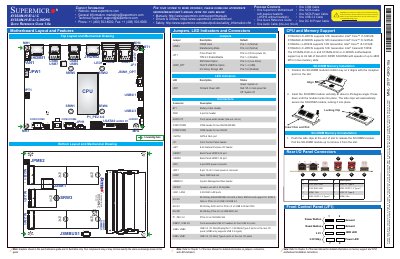
This guide provides a quick overview of the Supermicro X13san-H/-e/-L/-C motherboard’s layout, connectors, jumpers, and LEDs. It includes package contents and links to drivers and support. For detailed installation and configuration, refer to the full User Manual. The board supports 12th Gen Intel CPUs and up to 64GB DDR5 memory. This manual is written in Chinese.
| CPU Support | 12th Gen Intel® Core™ i7-1265UE, i5-1245UE, i3-1215UE, Celeron® 7305E |
|---|---|
| Memory Support | Up to 64 GB Non-ECC DDR5 SO-DIMM at 4800 MT/s |
| LAN Ports | 2.5G RJ45 LAN ports |
| USB Ports | USB 2.0, USB 3.2 (10 Gb/s), USB 3.2/DisplayPort 1.4 Alt Mode Type-C |
| HDMI Ports | HDMI 1.4b and HDMI 2.0b |
It supports 12th Gen Intel® Core™ i7-1265UE, i5-1245UE, i3-1215UE, and Celeron® 7305E.
It supports up to 64 GB of Non-ECC DDR5 SO-DIMM at speeds up to 4800 MT/s.