
This guide provides basic information for installing the Sun Fire X4540 server, including connecting cables and powering on/off.
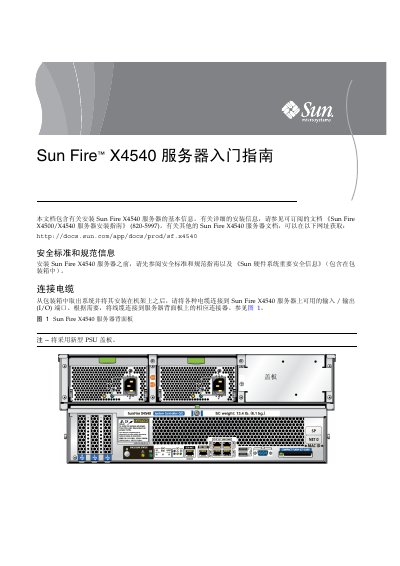
This document contains basic information about installing the Sun Fire X4540 server. It covers connecting various cables to input/output ports after mounting the system in a rack. For detailed installation instructions, users are directed to subscribe to the "Sun Fire X5000/X4540 Server Installation Guide" (820-5997).
The guide details procedures for opening and closing server power modes, distinguishing between backup power for initial Service Processor configuration and main power mode. It also explains how to connect to the Integrated Lights Out Manager (ILOM) service processor via serial or Ethernet connections. This manual is written in Chinese.
| Input Voltage (AC) | 200 VAC to 240 VAC |
|---|---|
| Alternative Voltage Option | 110 VAC |
The system is suitable for use with 220 VAC voltage.
Press and hold the power button on the front panel for 4 seconds to force main power off.
Integrated Lights Out Manager (ILOM) is pre-installed system management firmware used to manage and monitor server components.