
Quick start guide for Soundcore Life Note 3i wireless earbuds covering pairing, charging, controls, app features, and ANC modes.
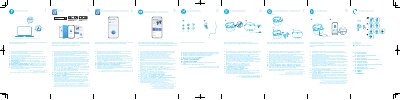
The Soundcore Life Note 3i is a pair of true wireless earbuds with active noise cancellation (ANC), transparency mode, and a companion app for customization. The guide explains how to wear the earbuds, charge the case via USB-C or wireless charging, power on/off, and pair via Bluetooth.
It also details using the Soundcore app to adjust EQ, switch ANC modes, update firmware, and customize touch controls. Firmware upgrades require the earbuds to stay in the open charging case until completion. The document includes multilingual safety and usage instructions.
| Charging port | USB-C |
|---|---|
| Bluetooth pairing name | Soundcore Life Note 3i |
| ANC modes | ANC, Transparency, Normal |
Open the charging case; the earbuds automatically enter Bluetooth pairing mode. Select “Soundcore Life Note 3i” from your device’s Bluetooth list.
Download the Soundcore app, ensure the earbuds are in the charging case with the lid open, and follow the app instructions to complete the firmware upgrade.
The earbuds offer ANC (Active Noise Cancellation), Transparency, and Normal modes. Switch between them using the Soundcore app.