
Quick start guide for Sophos XGS 2100/2300/3100/3300 firewall appliances covering hardware setup, initial configuration, and LED status codes.
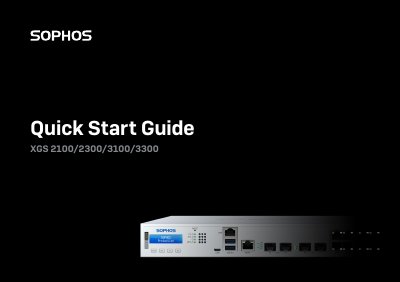
This guide provides step-by-step instructions for deploying Sophos XGS 2100, 2300, 3100, and 3300 firewall appliances. It lists box contents, shows front and rear panel layouts with port descriptions (LAN, SFP/SFP+, USB, COM, MGMT, expansion bay), and explains how to mount the unit, connect network cables, power it on, and link an administration PC to the dedicated MGMT port.
The document then walks through the initial setup wizard: configuring network settings, registering the appliance with MySophos, and synchronizing licenses. It also details LAN Bypass Mode (hardware bypass on ports 1/2) including CLI commands to enable or disable it, and provides a complete LED status reference for power supplies, SSD, bypass, and Ethernet/SFP/SFP+ link and speed indicators. Support resources and documentation links are included at the end.
| LAN Ports | 8 × GbE copper RJ45 (ports 1/2 configurable as bypass pair) |
|---|---|
| SFP Ports (XGS 2100/2300) | 2 × 1 Gbps SFP (F1–F2) |
| SFP+ Ports (XGS 3100/3300) | 2 × 1/10 Gbps SFP+ (F1–F2) |
| Additional SFP Ports (XGS 3100/3300) | 2 × 1 Gbps SFP (F3–F4) |
| COM Port | Micro USB and RJ45 (38,400 bps, 8 data bits, no parity, 1 stop bit) |
| MGMT Port | RJ45 10/100/1000 Mbps dedicated management interface |
| Power Supply | Internal AC power supply with connector for optional external redundant power supply |
| Default IP Addresses | LAN 172.16.16.16/24, WAN DHCP, MGMT 10.0.1.1/24 |
| Default Credentials | Username: admin, Password: admin (for Admin Console, CLI, and SSH) |
| Bypass Ports | Ports 1/2 (hardware LAN bypass pair) |
The default IP addresses are LAN 172.16.16.16/24, WAN DHCP, and MGMT 10.0.1.1/24.
Connect your admin PC to the MGMT port, set its IP to 10.0.1.2 with gateway 10.0.1.1, then browse to https://10.0.1.1:4444 and log in with admin/admin.
A solid amber speed LED indicates the Ethernet port is operating at 1000 Mbps.