
This guide provides quick start instructions for the Sony WALKMAN NWZ-B172/B173 series, covering power on/off, music transfer via Windows Media Player, and…
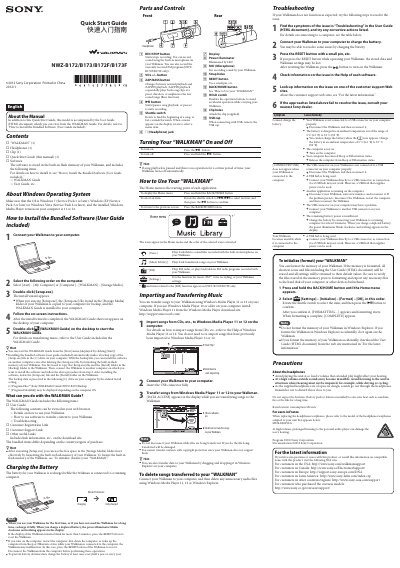
This document serves as a Quick Start Guide for the Sony WALKMAN NWZ-B172, NWZ-B173, NWZ-B172F, and NWZ-B173F models. It explains how to turn the device on and off using the power button and describes navigation via the Home menu and shuttle switch.
The guide details procedures for importing music from CDs or computers using Windows Media Player 11 or 12, charging the battery while connected to a computer, and installing bundled software like the WALKMAN Guide. It also includes basic troubleshooting steps for issues such as battery charging problems and USB connection errors. This manual is written in Chinese.
| Operating System Compatibility | Windows 7 (SP1+), Windows XP (SP3+), Windows Vista (SP2+) |
|---|---|
| Required Software Version | Windows Media Player 11 or 12 |
| Charging Time (Fully Charged) | About 70 minutes |
The Walkman turns off automatically.
No, the device does not support them.
Press the RESET button to reset the Walkman.