
This Quick Start Guide shows how to power on, set up, record, playback and manage files on the Sony ICD‑UX522/UX522F/UX523/UX523F digital voice recorder.
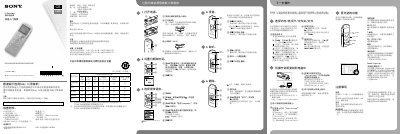
The guide walks you through the basic operations of the IC recorder: turning the unit on, setting the date and time, choosing the menu language, recording audio, playing back recordings, and erasing files. It also explains how to navigate folders, switch between built‑in memory and a memory card, and use optional features such as Noise Cut, T‑MARK and FM radio (on supported models).\n\nSafety instructions, battery information, and a list of supplied accessories are provided, along with steps to connect the recorder to a computer via USB and copy the full operating manual stored in the device’s internal memory. This manual is written in Chinese.
| Operating voltage | 1.2 V or 1.5 V DC |
|---|---|
| Rated current consumption | 800 mA |
| User‑available memory (ICD‑UX522/UX522F) | 2 GB (≈1.80 GB) |
| User‑available memory (ICD‑UX523/UX523F) | 4 GB (≈3.60 GB) |
| Battery type | NH‑AAA rechargeable or LR03 (AAA) alkaline |
Slide and hold the HOLD•POWER switch toward “POWER” until the window display appears.
Connect the recorder via USB, open the “Instructions” folder on the PC, and copy the files you need.