
Solax X1-Meter-WiFi quick installation guide covering installation, wiring, WiFi setup, and monitoring website login.
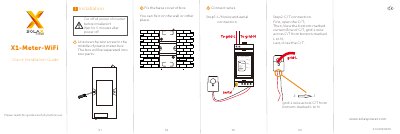
The Solax X1-Meter-WiFi Quick Installation Guide explains how to install the remote metering device, including opening the plastic meter box, connecting L/N wires and the current transformer, and mounting the box on a wall.
It also covers powering on the inverter before WiFi connection, logging in to www.solax-portal.com, entering the power meter serial number, and monitoring inverter data through the Overview and Report Analysis pages. This manual is written in Chinese.
| Rated current | 60A |
|---|---|
| Frequency | 50Hz |
| Voltage | AC220V |
| Communication interface | RS485 |
Input www.solax-portal.com in a web browser, fill in the username and password, then click Login.
Power on the inverter before connecting to WiFi.
The user can monitor the inverter and check the data.