
Installation guide for the SMA SMA-GW-001 gateway covering hardware setup, firmware update, network configuration, and power conditioner communication settings.
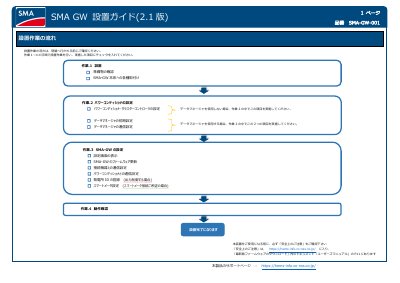
The document provides step-by-step instructions for installing and configuring the SMA-GW-001 gateway, including checking package contents, attaching power and backup battery, connecting LAN or 3G, and accessing the configuration screen.
It details power conditioner and cluster controller settings, data manager initial and communication setup, firmware update via USB, and registration of power plant ID and smart meter settings for output control. This manual is written in Japanese.
| Backup Battery Model | Panasonic BR1220 |
|---|---|
| Power Supply Voltage | AC100V |
| LAN Cable Category | Category 5 or higher |
| 3G SIM Type | microSIM |
| Supported 3G Network | NTT DOCOMO FOMA packet communication |
| USB Memory Capacity | 1GB to 32GB |
| Firmware File Format | sbhc_X.X.X.bin |
The backup battery model is Panasonic BR1220.
Press and hold the initialization switch for 5 seconds, then release; the startup LED will start blinking and the device will complete boot in about 5 minutes.
The firmware file is named sbhc_X.X.X.bin and must be copied to a USB memory stick (1GB-32GB).
It supports NTT DOCOMO FOMA packet communication service.