
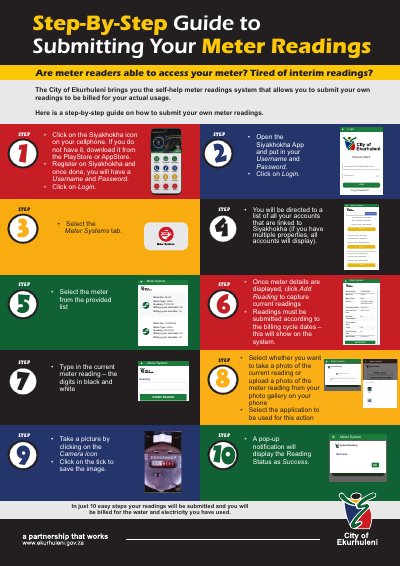
A step-by-step guide for the City of Ekurhuleni's Siyakhokha app showing how to register, log in, select accounts, and submit water and electricity meter…
The City of Ekurhuleni brings you the Siyakhokha self-help meter readings system that allows you to submit your own readings to be billed for your actual usage.
The guide explains how to download the app, register and log in, select linked accounts, enter current meter readings, upload or take photos, and save the submission.
Open the app, enter your username and password, click Login, select the Meter Systems tab, choose an account, click Add Reading, type the current reading, and upload or take a photo.
A pop-up notification displays the Reading Status as Success.
Yes, you can upload a photo of the meter reading from your photo gallery or take a picture with the camera.