
SiteSearchApp Magento 2 Extension Installation Guide

Installation guide for the SiteSearchApp extension for Magento 2 using copied code, Composer, or Magento Marketplace.
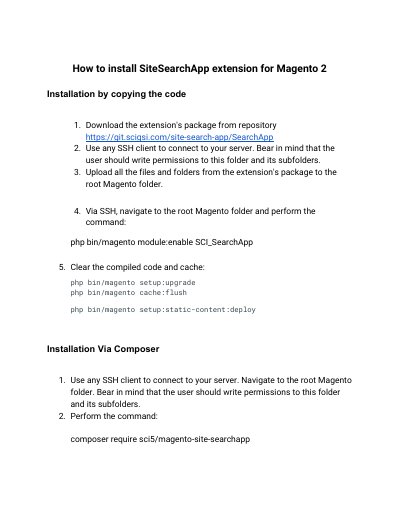

SiteSearchApp Magento 2 Extension Installation Guide - cover page
Brand
SiteSearchApp
Category
Other software
Document type
Installation Guide
Language
English
Pages
6
File format
PDF
File size
364 KB
Published
11 November, 2026
Updated
11 November, 2026
MD5 checksum
1449F27934C3A6637689E73C4595F75D

About this manual

This document explains how to install the SiteSearchApp extension for Magento 2. It covers installation by copying the extension code, installation with Composer, and installation through the Magento Marketplace Web Setup Wizard.

The guide includes commands for enabling the module, upgrading setup, flushing cache, deploying static content, using Marketplace access keys, running readiness checks, creating backups, and completing installation.

What's inside

  • Installation by copying the code
  • Installation Via Composer
  • Installation via Magento Marketplace
  • Web Setup Wizard
  • Module Manager
  • Readiness Check
  • Create Backup
  • Review and Install

Frequently asked questions

How do you enable the extension after copying its files?

Run php bin/magento module:enable SCI_SearchApp from the root Magento folder.

What Composer command installs the extension?

Use composer require sci5/magento-site-searchapp.

How do you update the extension with Composer?

Use composer update sci5/magento-site-searchapp.

What should you do after installing through Magento Marketplace?

Log out and in for all the changes to take into effect.

Download PDF (364 KB)