
User manual for K-4000CK controller, covering system features, supported chips, wiring, SD card usage, and troubleshooting.
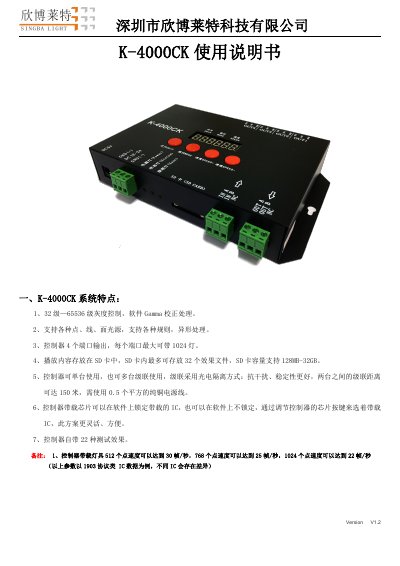
This document is the user manual for the K-4000CK controller, a lighting control device supporting up to 1024 lamps per port. It details system features like 32-65536 gray-level control, SD card storage for effects, and cascading capabilities up to 150 meters. The manual also covers supported chips, wiring methods, SD card specifications, and troubleshooting for common issues like no output or flickering lights.
The controller operates on 5V or 12-24V DC power, weighs 0.85kg, and supports FAT/FAT32 formatted SD cards from 128MB to 32GB. It includes buttons for chip selection, mode switching, and speed adjustment, with built-in test effects and a status indicator system. This manual is written in Chinese.
| Supported Chips | UCS1903, 1909, 1912, 2903, 2904, 2909, 2912; TM1803, 1804, 1809, 1812; SM16703, 16709, 16712; WS2811, WS2812, WS2813, WS2815, WS2818; INK1003; LX3203, 1603, 1103; GS8205, 8206; SK6812 |
|---|---|
| SD Card Capacity | 128MB - 32GB |
| Working Temperature | -30°C to 85°C |
| Power Supply | DC 5V or DC 12-24V |
| Weight | 0.85kg |
| Maximum Output | 4 ports, each supporting up to 1024 lamps |
The screen displaying FFF indicates the controller failed to read the SD card. Possible causes include: the SD card being empty, mismatched *.led files, or a faulty SD card.
Possible causes include: missing ground connection between controller and lights, incorrect chip selection in software, or insufficient power supply to the lights.
First, ensure the SD card’s protective switch is unlocked. If that doesn’t work, the SD card reader may be faulty — try a different reader (e.g., SSK).