
Shanghai Sibao MQT-805 IoT Gateway Bokai Cloud Platform WeChat Alarm Guide

This guide explains how to connect the MQT-805 IoT Gateway to the Bokai Cloud Platform and configure WeChat alarm notifications.

Shanghai Sibao MQT-805 IoT Gateway Bokai Cloud Platform WeChat Alarm Guide - cover page
Brand
Shanghai Sibao Automation Technology Co., Ltd.
Category
Industrial Robot
Document type
User Manual
Language
Chinese
Pages
16
File format
PDF
File size
7.2 MB
Published
16 October, 2026
Updated
16 October, 2026
MD5 checksum
BE146133D375CF59796E84743582982A

About this manual

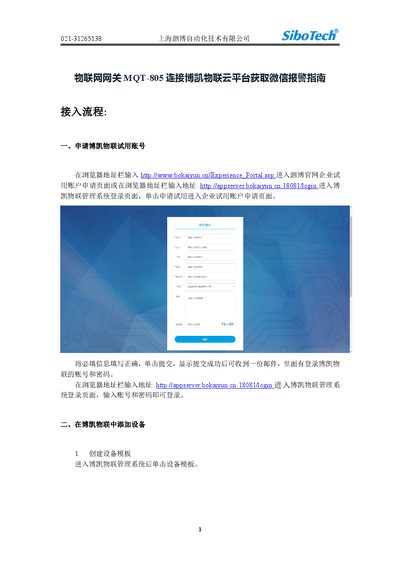
This document provides a step-by-step guide for connecting the Shanghai Sibao MQT-805 IoT Gateway to the Bokai Cloud Platform. It covers the process of applying for a trial account, creating device templates, and configuring the gateway's network, MQTT, and ModbusTCP parameters.

The guide further details how to set up WeChat alarm notifications. This includes obtaining an alarm ID from the Bokai Cloud WeChat official account and configuring the alarm settings within the platform to trigger notifications based on specific attribute value changes. This manual is written in Chinese.

What's inside

  • Applying for a Trial Account
  • Creating Device Templates
  • Configuring Network Parameters
  • Configuring Topic Parameters
  • Configuring ModbusTCP
  • Setting Up WeChat Alarms
  • Obtaining Alarm ID
  • Configuring Alarm Settings

Frequently asked questions

What software is required to configure the MQT-805B gateway?

The configuration process requires the use of software MQT-123V3.0.4.

What is the default port for the MQTT broker address?

The MQTT broker address mqtt.bokaiyun.cn uses port 1883.

What is the default port for ModbusTCP/IP connections?

The default port for ModbusTCP/IP connections is 502.

Download PDF (7.2 MB)