
The Seiko Instruments SLP 600 Series smart label printers provide direct‑thermal, ink‑free printing with USB or serial connectivity and speeds up to almost…
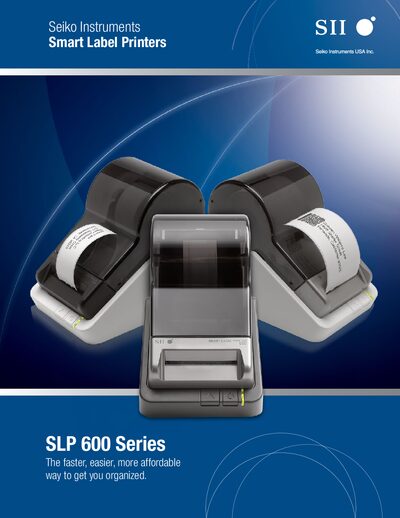
The SLP 600 Series includes three desktop label printers (SLP 620, SLP 650, SLP 650SE) that use direct‑thermal technology, eliminating the need for ink, toner or ribbons. They print address, shipping, file‑folder, name‑badge and custom labels directly from a PC or Mac, with plug‑and‑play setup and support for Windows, macOS and Linux.
Each model offers different speed, resolution and interface options. The SLP 620 is a basic USB‑only printer with 203 dpi resolution, while the SLP 650 provides 300 dpi at up to 2.76 in/s. The SLP 650SE adds RS‑232 serial connectivity in addition to USB, keeping the same 300 dpi and 3.94 in/s speed. All printers come with Smart Label Software that integrates with Microsoft Office applications for easy label design.
| Printing Technology | Direct Thermal |
|---|---|
| Resolution (SLP 620) | 203 dpi |
| Resolution (SLP 650 / 650SE) | 300 dpi |
| Maximum Printing Speed (SLP 620) | 2.76 inches/second (70 mm/s) |
| Maximum Printing Speed (SLP 650 / 650SE) | 3.94 inches/second (100 mm/s) |
| Interface (SLP 650SE) | USB, RS‑232 |
| Operating Voltage (SLP 620) | DC 5.7 V to DC 6.3 V |
| Operating Voltage (SLP 650 / 650SE) | DC 11.4 V to DC 12.6 V |
| Dimensions (SLP 620) | 4.48 in W × 6.77 in D × 5.83 in H |
The SLP 650SE provides both USB and RS‑232 serial ports for connection to a computer.
Smart Label Software is supplied, supporting Microsoft Excel, Outlook, Access, Word and allowing label design, formatting and printing.