
Installation and usage guide for SDING's dual-channel video multiplexer with 690 core, supporting bidirectional video transmission over coaxial cable.
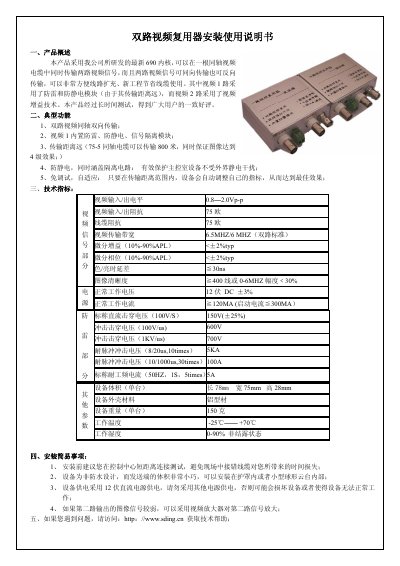
This manual provides installation and operational instructions for the SDING SDQ2007-023A0 dual-channel video multiplexer. It supports bidirectional video transmission over a single coaxial cable, with channel 1 featuring lightning and static protection, and channel 2 using video gain for long-distance transmission. The device is self-adaptive and requires no tuning. Technical specifications include video input/output levels, bandwidth, and environmental ratings. Installation tips and troubleshooting are included. This manual is written in Chinese.
| Video Input/Output Level | 0.8—2.0Vp-p |
|---|---|
| Video Input/Output Impedance | 75欧 |
| Cable Impedance | 75欧 |
| Video Transmission Bandwidth | 6.5MHZ/6 MHZ |
| Differential Gain | <±2%typ |
| Differential Phase | <±2%typ |
| Color/Luminance Delay Difference | ≦ 30ns |
| Image Clarity | ≧ 400线或 0-6MHZ |
| Normal Operating Voltage | 12伏 DC ±3% |
| Normal Operating Current | ≧ 120MA |
| Nominal DC Breakdown Voltage | 150V(±25%) |
| Surge Breakdown Voltage (100V/us) | 600V |
| Surge Breakdown Voltage (1KV/us) | 700V |
| Pulse Surge Voltage (8/20us, 10times) | 5KA |
| Pulse Surge Voltage (10/1000us, 30times) | 100A |
| Nominal AC Surge Current (50Hz, 1S, 5times) | 5A |
| Device Dimensions | 78mm x 75mm x 28mm |
| Device Weight | 150克 |
| Operating Temperature | -25℃—— +70℃ |
| Operating Humidity | 0-90% non-condensing |
No, it is self-adaptive and automatically adjusts its settings within the transmission range for optimal performance.
It requires a 12V DC power supply; using other power sources may damage the device or cause it to malfunction.
Adjust the V-L knob next to the video output 1; turning it clockwise increases the gain, and adjusting 2-3 turns usually resolves the issue.