
This manual provides quick operation instructions for the ScanZoom i AI camera, covering appearance, interface definitions, settings, network connection…
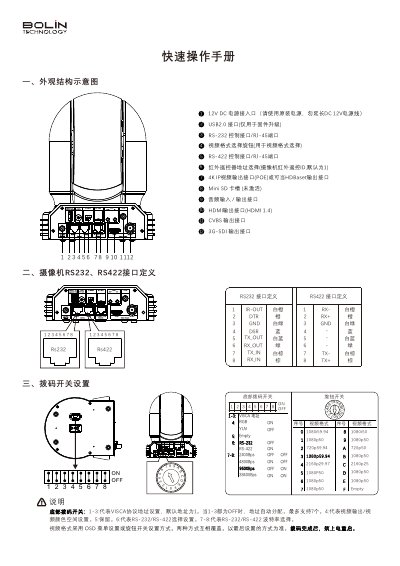
This document serves as a quick operation manual for the ScanZoom i AI camera. It details the physical appearance, interface definitions including RS-232 and RS-422, and explains how to configure settings via dip switches and OSD menus. The guide also covers video format selection and remote control address setup. This manual is written in Chinese.
| Power Input | 12V DC |
|---|---|
| Default Subnet Mask | 255.255.255.0 |
| Max VISCA Address | 7 |
Enter the OSD menu and appropriately adjust the values of 'COLOR (Color)' and 'HUE (Hue)'.
Enter the OSD menu and appropriately adjust the values of '2D NR' and '3D NR'.
Enter the OSD menu and appropriately adjust the value of 'SHARPNESS (Sharpness)'.