
The Saro Saro5150R EDGE Router User Manual provides product overview, installation steps, configuration instructions, and troubleshooting guidance.
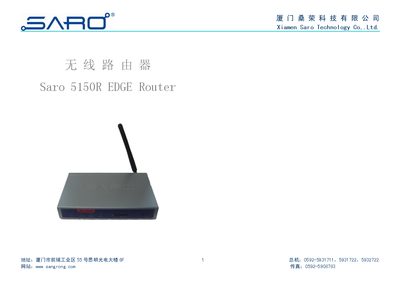
The Saro5150R EDGE Router is a four‑band GSM/EDGE wireless router designed for industrial applications such as finance, power, environmental monitoring, and oil‑field data transmission. It features a 32‑bit embedded processor, RS232 and 10/100 Mbps Ethernet interfaces, SIM card support, and optional microphone/headset ports.
The manual covers unpacking, hardware installation, power connection, antenna mounting, and wiring of RJ45‑DB9F conversion cables. It then explains how to access the web‑based configuration interface (default IP 192.168.1.2, username/password "saro"), set up wireless and Ethernet parameters, configure VPN, firewall, and keep‑alive options, and provides troubleshooting tips and safety precautions. This manual is written in Chinese.
| Supported frequency bands | GSM850/900/1800/1900 |
|---|---|
| Power supply voltage | 5‑35 V DC |
| Power consumption | Active < 2 W, Idle < 1 W |
| Operating temperature | -20 °C to 65 °C |
| Relative humidity | 95 % non‑condensing |
The factory default IP address is 192.168.1.2 with a subnet mask of 255.255.255.0.
It supports a 3 V SIM card inserted via a drawer‑type SIM slot without opening the case.
Use a crossover Ethernet cable to connect the router’s Ethernet port directly to the PC’s Ethernet port.