
Rough Country 2015-UP Colorado/Canyon 30” LED Bumper Mount 92705360 Installation Guide

Step-by-step installation guide for Rough Country's 30” LED bumper mount for 2015-UP Colorado/Canyon vehicles.
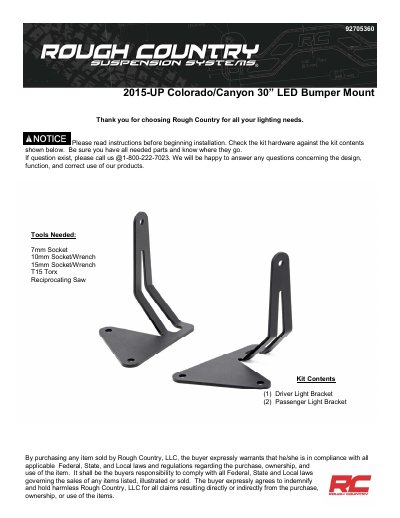

Rough Country 2015-UP Colorado/Canyon 30” LED Bumper Mount 92705360 Installation Guide - cover page
Brand
rough country
Category
Vehicle Accessories
Document type
Installation Guide
Language
English
Pages
6
File format
PDF
File size
923 KB
Published
04 November, 2026
Updated
04 November, 2026
MD5 checksum
12CD6E6BF5A6CC5BCEEF035FAC505E1B

About this manual

This guide provides detailed instructions for installing the Rough Country 30” LED bumper mount on 2015-UP Colorado/Canyon vehicles. It includes a list of required tools and kit contents, followed by step-by-step procedures for removing factory components, installing the new bumper mount, and reconnecting wiring. Photos are referenced throughout to assist with alignment and fastening.

What's inside

  • Tools Needed
  • Kit Contents
  • Installation Steps
  • Photos and Diagrams

Frequently asked questions

What tools are required to install this bumper mount?

The installation requires a 7mm socket, 10mm socket/wrench, 15mm socket/wrench, T15 Torx bit, and a reciprocating saw.

How many bolts hold the crash bar to the frame?

There are 4 bolts holding the crash bar to the frame that must be removed with a 15mm socket.

How many vertical bars must be removed from the lower grille opening?

You must remove 8 vertical bars in the lower grille opening using a reciprocating saw.

Download PDF (923 KB)

More rough country Manuals


View all rough country manuals →