
This manual provides usage instructions, safety warnings, and specifications for the Radius HP-NHR31 Hi-Res wired earphones.
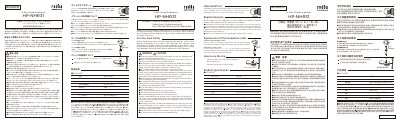
This document serves as the user manual for the Radius HP-NHR31 Hi-Res wired earphones. It details the proper installation and replacement of earpieces, the use of the cable clip, and general safety precautions to ensure safe operation. The guide includes specific instructions on how to attach and detach the cable and plug, emphasizing the need to avoid pulling the cable at an angle to prevent damage. It also lists the included accessories and provides a comprehensive list of warnings regarding usage while driving, exposure to loud volumes, and environmental conditions. This manual is written in Japanese.
Remove the earpiece from the earphone body and wash it with diluted neutral detergent. After drying completely, you can use it again.
You can exchange them for the included L, S, or XS sizes. The online shop also sells single earpieces.
Push open the cable fixing part and attach the clip to the cable, then pin it to your clothing.
No, you must never use this product while driving a car, motorcycle, bicycle, or any other vehicle.