
The user manual for the Qinhuangdao Qianmu Electronics USB‑RS232 converter provides features, connection guide, driver installation steps, and support…
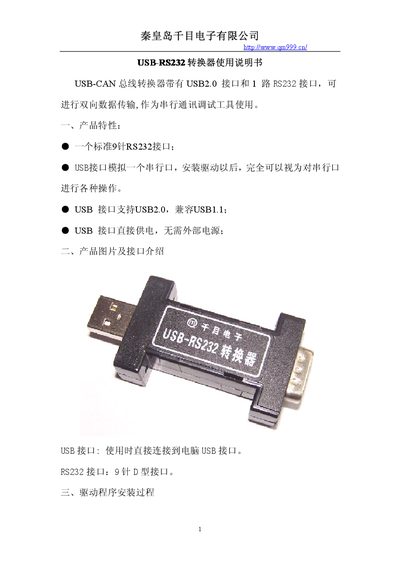
The USB‑RS232 converter features a USB 2.0 interface that emulates a serial port and a standard 9‑pin RS232 D‑sub connector. It draws power directly from the USB port, so no external power supply is needed.
The manual explains how to install the driver: connect the device, let Windows detect new hardware, run the installation wizard, browse to the driver folder, and complete the steps. It also includes the bundled serial‑port debugging software and contact details for technical support. This manual is written in Chinese.
| RS232 connector type | Standard 9‑pin D‑sub |
|---|---|
| USB interface version | USB 2.0 (compatible with USB 1.1) |
| Power source | USB powered, no external supply |
It uses a standard 9‑pin D‑sub RS232 connector.
No, the USB port supplies power directly to the converter.