
User manual for QingSongLian LD1 VRL CH B smart water leak detector covering setup, operation, RS485 communication, and error codes.
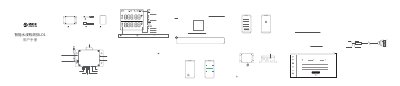
This user manual provides step-by-step instructions for configuring and operating the QingSongLian LD1 VRL CH B smart water leak detector. It covers WiFi and Ethernet network setup, SIM card configuration, RS485 communication protocols, and device alarm functions. The manual also includes troubleshooting for common issues and warranty information.
The device features dual channels (A and B) for water leak detection, supports both WiFi and Ethernet connectivity, and can be configured via a mobile app or PC tool. It includes a relay output for external alarms and can store up to 300,000 data points internally. This manual is written in Chinese.
| Dimensions | 115mm x 90mm x 55mm |
|---|---|
| Power Supply | DC12V/1A (some versions 12V/2A) |
| Storage Capacity | 300,000 data points |
| Operating Temperature | -20°C to 60°C |
| Operating Humidity | 10% to 90% |
| RS485 Baud Rate | Default 4800, up to 115200 |
Long press the configuration key for about 5 seconds until the AP icon flashes, then release to enter configuration mode. Use the mobile app to scan the QR code or enter the serial number to connect.
The default RS485 baud rate is 4800, but it can be set to 2400, 9600, 19200, 38400, 57600, or 115200.
Yes, the device can operate without an internet connection. Data can be viewed on the LCD screen or read via the RS485 interface in offline mode.
The warranty period is one year from the date of purchase, provided the product is used under normal conditions and not damaged by misuse or external factors.