
User manual for the QAPASS 1602A 16x2 LCD display, covering pins, 4-bit and 8-bit modes, wiring, and Arduino LiquidCrystal examples.
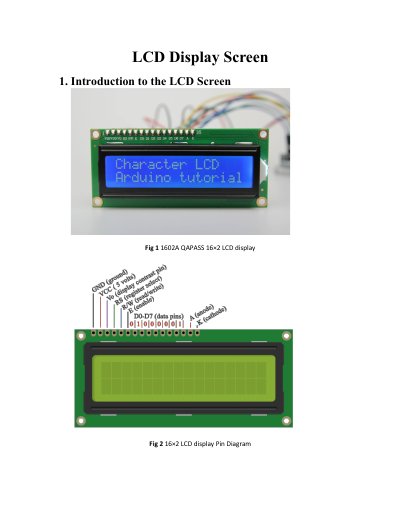
The QAPASS 1602A is a 16x2 LCD display with 16 pins for connecting to other devices. The manual explains pin functions, contrast and backlight connections, and 4-bit and 8-bit operating modes.
It also includes Arduino examples for displaying strings and creating custom 5x8 characters, plus descriptions of LiquidCrystal library commands such as scrolling and autoscroll.
| Display format | 2 rows of 16 characters |
|---|---|
| Pins | 16 |
| Supply voltage | +5V |
| Ground | 0V |
| Contrast control voltage | 0 to 5V |
| Backlight pins | Pins 15 and 16 |
| Data modes | 4-bit and 8-bit |
| Custom characters | Up to 8 characters of 5x8 pixels |
It is built with 16 pins (16 channels).
It controls display contrast through a potentiometer from 0 to 5V.
Up to eight characters of 5x8 pixels are supported.
Text is written left-to-right by default.