
The Pu Lan Di A200 powered speaker user manual provides safety guidelines, setup steps, remote control usage, connection diagrams, specifications, and…
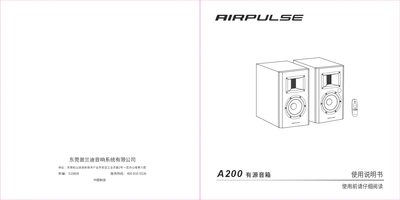
This manual begins with safety information and a checklist of items that should be present before use, including power‑connection instructions and warnings about water, heat sources, and proper ventilation. It also explains how to install the speaker, connect it to a power outlet, and verify that all cables are securely attached.
The guide then covers remote‑control operation, input selection (BAL/AUX, optical, coaxial, Bluetooth), and detailed wiring diagrams. Specifications such as output power, frequency response, and noise level are listed, followed by a troubleshooting section that addresses common issues like no sound, remote‑control problems, and Bluetooth pairing. This manual is written in Chinese.
| High‑frequency output power | 10 W + 10 W (L/R) |
|---|---|
| Mid‑low output power | 55 W + 55 W (L/R) |
| Frequency response | 46 Hz – 20 kHz |
| Audio inputs | BAL/AUX, optical, coaxial, Bluetooth |
| High‑frequency driver | Horn‑type aluminum‑tape tweeter |
| Mid‑low driver | 5½‑inch aluminum cone (148 mm) |
Open the battery cover by inserting a coin into the slot and rotating left about 90°, insert the new battery with the positive side up, then close the cover by rotating right about 90°.
Check that the power plug is fully inserted and the power switch is on, verify the audio source and cables, ensure the volume is not set to minimum, and try restarting the speaker.
Turn on Bluetooth on your device, search for “AIRPULSE A200”, select it, and if a PIN is requested enter “0000”.