
Guidelines for preparing files for large‑format printing, covering file formats, resolution, bleeds, color modes and maximum sizes.
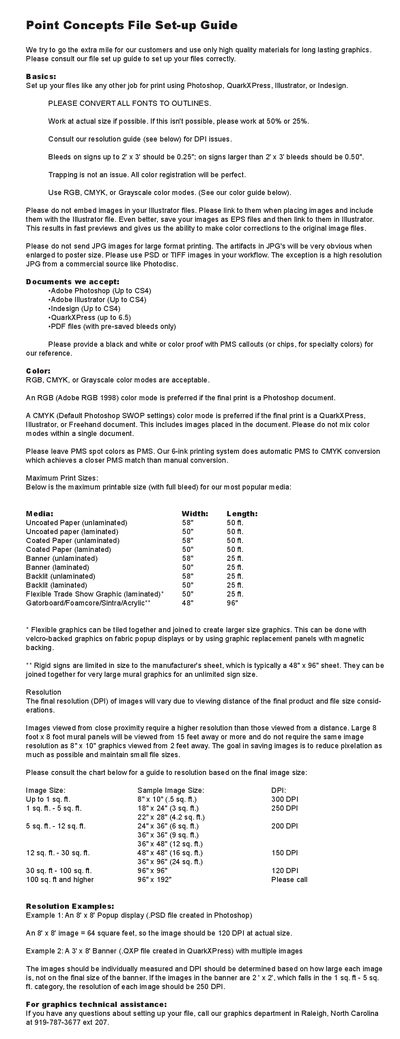
The Point Concepts File Set-up Guide explains how to prepare artwork for large‑format print jobs. It covers recommended software, font handling, image linking, and acceptable file formats such as PSD, TIFF, EPS and PDF.
Key topics include bleed requirements, color mode preferences, maximum printable dimensions for various media, and resolution recommendations based on final image size and viewing distance. Contact information for technical assistance is also provided.
| Maximum printable width (uncoated paper, unlaminated) | 58" |
|---|---|
| Maximum printable width (coated paper, laminated) | 50" |
Accepted formats are Adobe Photoshop (up to CS4), Adobe Illustrator (up to CS4), InDesign (up to CS4), QuarkXPress (up to 6.5), and PDF files with pre‑saved bleeds.
A 24" x 36" image falls in the 5–12 sq. ft. range and should be prepared at 200 DPI.
No, you should link to images and include the linked files, or save the images as EPS and link them.
Bleeds should be 0.50" for signs larger than 2' x 3'.