
User guide for the PDP Faceoff Wireless Deluxe Controller for Nintendo Switch, covering setup, charging, button programming, and customization.
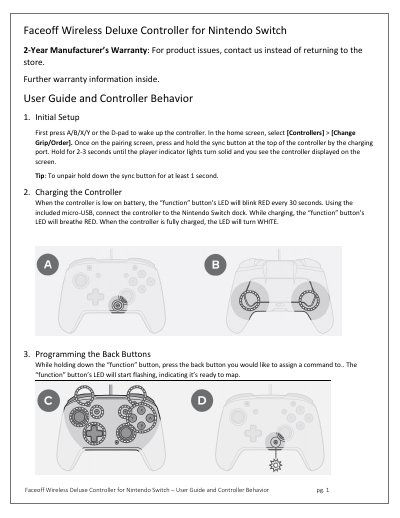
The PDP Faceoff Wireless Deluxe Controller for Nintendo Switch is a customizable game controller featuring interchangeable faceplates and analog sticks. It includes programmable back buttons and a dedicated sync process for the Nintendo Switch platform.
This guide provides instructions on initial pairing, battery management via micro-USB charging, and the process for swapping controller components using Faceoff Mod Kits.
| Charging Port | micro-USB |
|---|---|
| Warranty | 2-Year Limited Manufacturer’s Warranty |
Go to [Controllers] > [Change Grip/Order] on the home screen, then press and hold the sync button for 2-3 seconds.
The LED on the "function" button will turn white when the controller is fully charged.