
Panasonic WV-SW390/SC380/SW170/ST160 Series Network Camera Operation and Setup Guide

This manual provides operation and setup instructions for Panasonic network cameras, covering image viewing on computers and mobile devices, alarm…
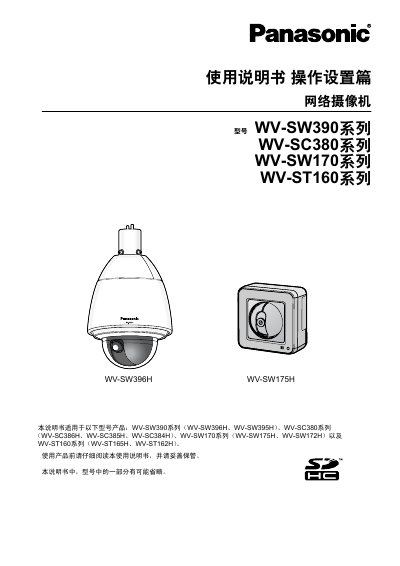

Panasonic WV-SW390/SC380/SW170/ST160 Series Network Camera Operation and Setup Guide - cover page
Brand
Panasonic
Category
Digital cameras
Document type
User Manual
Language
Chinese
Pages
204
File format
PDF
File size
13.7 MB
Published
16 October, 2026
Updated
16 October, 2026
MD5 checksum
BEB8D59EFE7DE69FC512BCE39FD70F20

About this manual

This document serves as the Operation and Setup guide for a range of Panasonic network camera models, including the WV-SW390 Series (e.g., WV-SW396H), WV-SC380 Series, WV-SW170 Series, and WV-ST160 Series. It details how to configure basic settings, manage video and audio parameters, set up alarms with various actions like email or FTP transfer, and utilize advanced features such as face detection and image analysis. This manual is written in Chinese.

What's inside

  • Viewing Images on Computer
  • Viewing Images on Mobile Devices
  • Recording Images to SD Memory Card
  • Alarm Actions and Configuration
  • FTP Image Transfer
  • Log Display and Playback
  • Network Security Settings
  • Basic Camera Setup
  • Video and Audio Configuration
  • Maintenance and Software Upgrade

Frequently asked questions

What are the default username and password for these cameras?

The initial values for the username is 'admin' and the password is '12345'.

Which models support MPEG-4 format?

SW175H, SW172H, ST165H, and ST162H do not support MPEG-4.

How can I view images if the player software is not installed?

Images cannot be displayed unless 'Network Camera View 4S' player software is installed on the computer.

Download PDF (13.7 MB)

More Panasonic Manuals


View all Panasonic manuals →