
This guide provides instructions for configuring a Panasonic network camera via computer, internet, and mobile terminals using the Viewnetcam.com service.
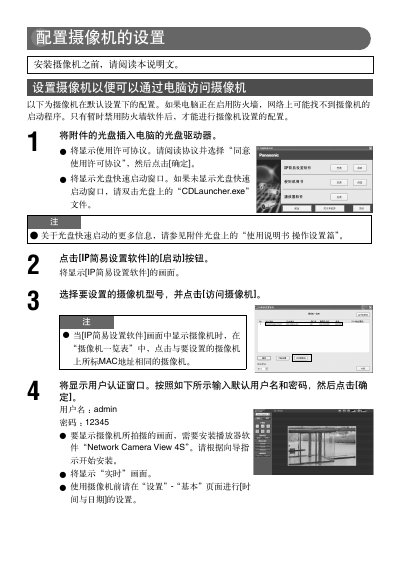
This manual details the configuration steps for setting up a Panasonic network camera. It covers initial software installation, IP address settings, and authentication procedures required to access the device from a computer.
The guide further explains how to configure the camera for remote access via the internet or mobile devices using the Viewnetcam.com service. This includes enabling UPnP on compatible routers and registering the device to obtain a public URL. This manual is written in Chinese.
The default username is 'admin' and the password is '12345'.
The Viewnetcam.com service is recommended for accessing and configuring the camera from the internet or mobile terminals.
You need to install the player software 'Network Camera View 4S' to display the images captured by the camera.