
Detailed installation manual for the Panasonic LB-DH7 series Blu-ray disc library, covering system setup, rack installation, power, connections, and DA…
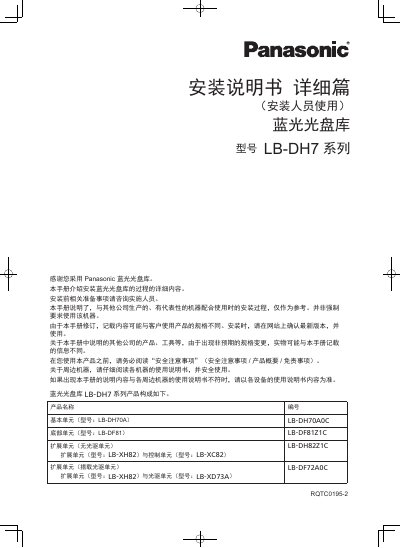
This detailed installation guide explains how to install the Panasonic LB-DH7 series Blu-ray disc library. It covers the product configuration, system configuration, rack requirements, unit names and interface panels, and the basic, bottom, expansion, control, and optical drive units.
The guide also covers installation preparation, rack mounting, expansion, power installation and voltage adjustment, signal conversion adapter setup, server and SAS connections, DA control software installation, startup, and initial settings. This manual is written in Chinese.
| 基本单元型号 | LB-DH70A |
|---|---|
| 底部单元型号 | LB-DF81 |
| 扩展单元型号 | LB-XH82 |
| 控制单元型号 | LB-XC82 |
| 光驱单元型号 | LB-XD73A |
| 信号转换适配器型号 | LB-XACVU0 |
| 光驱接口规格 | SFF-8644 Mini-SASHD |
| 基本单元额定电压 | DC +24 V 以及 DC +12 V |
| 底部单元额定电压 | DC +24 V |
| 光盘匣搭载数量 | 最多 76 个光盘匣 |
| 机柜规格 | EIA 规格的标准 19 英寸机柜 |
| 推荐机柜纵深 | 1000 mm |
| 机柜最小高度 | 16U 以上 |
| 基本单元机柜占用高度 | 6U |
| 底部单元机柜占用高度 | 4U |
| 扩展单元(搭载光驱单元)机柜占用高度 | 6U |
| 机柜方孔条间距 | 660 mm ~ 790 mm |
| 光盘匣仓架最大突出量 | 90 mm |
| 基本单元内置风扇数量 | 3 个 |
| 外部电源 | TDK-Lambda HFE 系列 |
Use a standard 19-inch EIA rack at least 16U high, with a recommended depth of 1000 mm and square-hole spacing of 660 mm to 790 mm.
The configuration includes the LB-DH70A basic unit, LB-DF81 bottom unit, LB-XH82 expansion unit, LB-XC82 control unit, and LB-XD73A optical drive unit.
The optical drive interface uses SAS ports with the SFF-8644 Mini-SASHD interface specification.
There are five disc cartridge magazines on each side, holding up to 76 disc cartridges in total.