
French installation guide for the Panasonic KX-TGP600, KX-TPA60 and KX-TPA65 telephone system, covering setup, pairing and phone number registration.
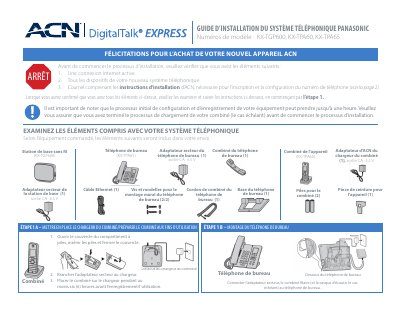
This guide explains how to check the included items, prepare the handset charger and desk phone, install the wireless base station, and pair handsets or desk phones to the base station.
It also covers ACN phone number registration and configuration, including email requirements, base station LED status, firmware updates, and where to get additional help. This manual is written in French.
| Base station power adapter output | 6.5 V AC |
|---|---|
| Desk phone power adapter output | 6.5 V AC |
| Handset charger adapter output | 5.5 V AC |
| Handset charging time before registration | At least 6 hours |
| Maximum registered handsets or desk phones | 8 |
| Firmware update time per device | Up to 20 minutes |
Place the handset on the charger for at least six hours before registration or use.
You can register up to 8 handsets or desk phones to the base station.
The handset or desk phone can take up to 20 minutes to update its firmware.
The base station operating status LED should be solid green.