
Basic Traditional Chinese owner's manual for the Panasonic Lumix DMC-TZ60/DMC-ZS40 digital camera, covering setup, shooting, Wi-Fi and GPS.
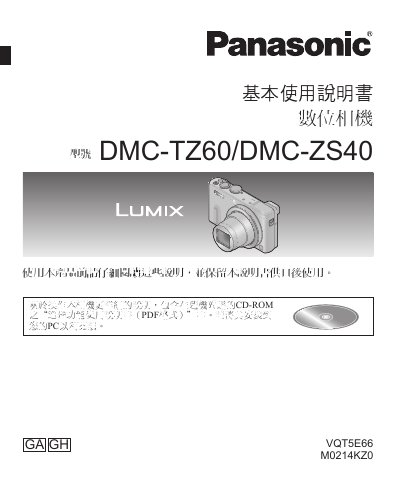
This is the basic owner's manual (VQT5E66) for the Panasonic DMC-TZ60/DMC-ZS40 digital camera, written in Traditional Chinese. It covers safety precautions, standard accessories, the names and functions of camera parts, inserting the battery and SD memory card, charging, setting the clock, and basic shooting and playback operations including the Intelligent Auto mode, motion picture recording, the control ring, and the Fn button.
The manual also explains the camera's Wi-Fi, NFC and GPS functions, how to read the supplied CD-ROM's advanced features manual (PDF format), how to copy photos and motion pictures, and includes a troubleshooting section and full specifications. Supplied accessories include the DMW-BCM13E battery pack, AC adapter, hand strap, USB connection cable and CD-ROM. This manual is written in Chinese.
| Weight (with memory card and battery) | approx. 240 g |
|---|---|
| Weight (without memory card and battery) | approx. 214 g |
| Operating temperature | 0 ℃ to 40 ℃ |
| Operating humidity | 10%RH to 80%RH |
| Wi-Fi compatible standard | IEEE 802.11b/g/n |
| Wi-Fi frequency range | 2412 MHz to 2462 MHz (channels 1 to 11) |
| Wi-Fi encryption | WPA / WPA2 |
| NFC compatible standard | ISO/IEC 18092 NFC-F (passive mode) |
| Battery pack (lithium ion) | Panasonic DMW-BCM13E, 3.6 V / 1250 mAh |
| AC adapter | Input 110 V–240 V, 50/60 Hz, 0.2 A; output 5 V, 800 mA |
The camera accepts SD memory cards (8 MB to 2 GB), SDHC memory cards (4 GB to 32 GB) and SDXC memory cards (48 GB, 64 GB); Panasonic brand cards are recommended. Cards are sold separately, and the built-in memory can be used when no card is inserted.
Turn the camera off and wait about two hours before using it again; the fogging disappears once the camera adjusts to the surrounding temperature.
It uses the Panasonic DMW-BCM13E lithium-ion battery pack (3.6 V / 1250 mAh), which is supplied with the camera and should be charged before first use.
More detailed instructions are in the "Advanced features manual (PDF format)" included on the supplied CD-ROM, which should be installed on your PC to read.