
The Outlaw Audio HDS-42AVR HDMI Splitter user manual provides safety, installation, and operation instructions for integrating with Model 975.
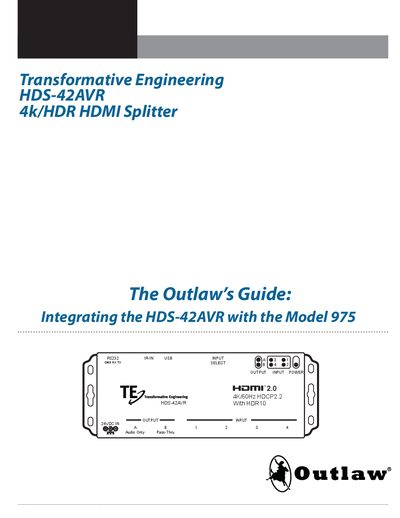
This manual covers safety precautions, mounting guidelines, and power requirements for the HDS-42AVR 4K/HDR HDMI Splitter. It explains how to connect source devices, configure inputs, and use the remote control to switch between TV, DISC, VIDEO, and GAME sources.
The guide also details the splitter’s features such as four HDMI 2.0b inputs, HDMI video and audio outputs, USB‑Mini firmware update port, IR input, and RS232 control port, as well as wiring and grounding recommendations for reliable 4K/60 Hz operation with HDCP 2.2 and HDR10.
| HDMI Inputs | 4 HDMI 2.0b inputs |
|---|---|
| HDMI Video Output | 1 HDMI video output |
| HDMI Audio Output | 1 HDMI audio output |
| USB‑Mini Input | Firmware update port |
| IR Input | Infrared remote control input |
| RS232 Control Port | Serial control interface |
| Supported Video | 4K/60 Hz, HDCP 2.2, HDR10 |
Connect each source device’s HDMI output to one of the HDMI inputs on the HDS-42AVR and label the inputs (TV, DISC, GAME, VIDEO) as shown in the manual.
Do not remove the cover or attempt service yourself; unplug the unit from the wall outlet and refer all servicing to Transformative Engineering.
Press the VIDEO, GAME, TV, or DISC button on the Model 975 remote; each button simultaneously changes the corresponding input on both devices.