
Official user manual for Osprey Raptor series backpacks, covering features, water reservoir use, care, and sizing.
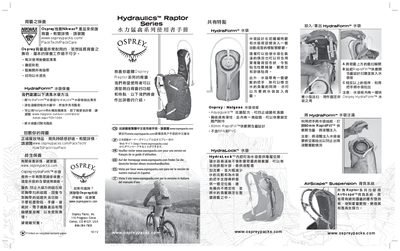
The Osprey Raptor series backpack manual provides detailed information on the pack’s unique features, including the HydraForm™ water reservoir, AirScape™ back system, and ergonomic straps. It explains how to install, fill, and maintain the water bag, as well as how to use the LidLock™ helmet attachment.
Additional sections cover size and capacity options, compression straps, care instructions, and warranty information. The guide includes diagrams and step‑by‑step procedures to help users get the most out of their Raptor pack. This manual is written in Chinese.
| Backpack volume | 1100 cubic inches (≈18 L) |
|---|---|
| Main fabric | 70×140D Nylon Shadow Check |
| HydraLock™ internal frame | Provides dedicated space for water reservoir |
Open the 80 mm RapidFill™ lid, pour liquid into the reservoir, then remove any air to prevent sloshing.
Remove the HydraForm reservoir from the pack, soak it in warm soapy water, rinse, and air‑dry. Nalgene® bottle cleaner can be used.
Pull up the LidLock™ clip, thread it through the helmet’s mounting slot, and secure it with the elastic cord.
The HydraForm water reservoir comes with a one‑year limited warranty covering defects and reasonable wear.