
The Nikon D5600 digital camera user manual provides operating instructions, menu guidance, maintenance tips, safety warnings, and technical specifications.
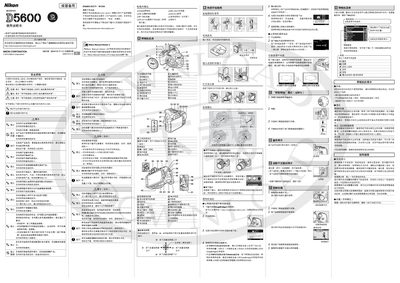
This manual explains how to operate the Nikon D5600, covering menu navigation, shooting modes, battery handling, and connectivity features such as SnapBridge and Wi‑Fi. It also includes safety information, cleaning procedures, and troubleshooting advice.
Key sections include a quick‑start guide for attaching the strap and lens, detailed specifications of the sensor, ISO range, shutter speeds, video modes, and recommended accessories. The document ends with regulatory and warranty notices. This manual is written in Chinese.
| ISO Range | 100 – 25600 |
|---|---|
| Shutter Speed | 1/4000 – 30 s |
| Maximum Image Size | 6000 × 4000 pixels |
| Video Resolution | 1920 × 1080 @ 60 p |
| Battery | EN‑EL14a 7.2 V / 1230 mAh Li‑ion |
| Dimensions | ≈124 × 97 × 70 mm |
| Weight (with battery & card) | ≈465 g |
Use a blower ball to remove dust and a dry soft cloth to wipe gently.
Insert the battery, connect the charger, and allow about 1 hour 50 minutes for a full charge.
Press the O button, confirm the dialog, and the selected image will be removed.