
This manual details the installation, operation, and technical specifications of the Nanhua DT20 Series dialing digital broadcast telephone system.
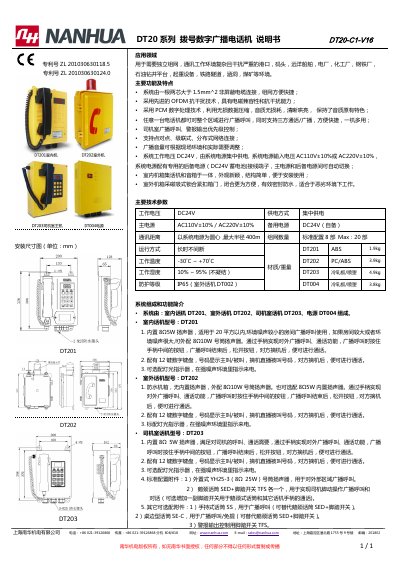
The Nanhua DT20 Series is a digital broadcast telephone system designed for complex and interference-prone environments such as ports, shipyards, power plants, and railway tunnels. The system utilizes OFDM anti-interference technology and PCM digital processing to ensure clear audio quality and robust electromagnetic compatibility. It supports point-to-point, cascaded, and distributed network connections, allowing any unit to broadcast to the entire area or engage in three-party calls. This manual is written in Chinese.
| Operating Voltage | DC24V |
|---|---|
| Backup Power | DC24V (User provided) |
| Maximum Communication Radius | 400m |
| Maximum Network Units | 20 units |
| Operating Temperature | -30°C ~ +70°C |
| Protection Rating (Outdoor) | IP65 |
It is designed for environments with complex communication conditions and severe interference, such as ports, shipyards, power plants, and railway tunnels.
The standard configuration supports 8 units, with a maximum capacity of 20 units.
Lift the handset, press '*', enter the password 39126868, press '#', select the number length with '2', enter the length, press '#', enter the number, and press '#' to confirm.
Remove the terminal cover and use a flathead screwdriver to turn the 'OUTDOOR' or 'INDOOR' potentiometer clockwise to increase volume.