
The Midea Lian ESM201B arm‑type electronic blood pressure monitor user manual provides safety instructions, setup, measurement procedures, data management…
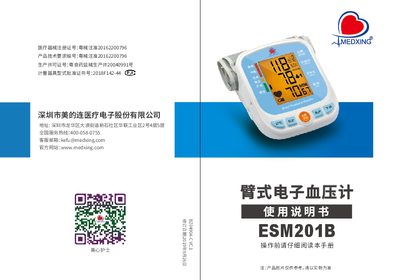
This manual explains the safety precautions, product structure, and preparation steps required before using the ESM201B blood pressure monitor. It also details the proper cuff placement, measurement posture, and step‑by‑step procedures for obtaining accurate systolic and diastolic readings.
Additional sections cover mobile app installation and Bluetooth pairing, error codes and troubleshooting, routine maintenance, storage guidelines, technical specifications, electromagnetic compatibility, and background information on blood pressure. The document also includes a record card for tracking measurements and a warranty card. This manual is written in Chinese.
| Measurement range | 0‑280 mmHg (0‑37.33 kPa) |
|---|---|
| Pulse measurement range | 40‑199 beats/min |
| Storage temperature | -20℃ to +55℃ |
| Relative humidity (operating) | 15% to 80% RH |
| Relative humidity (storage) | ≤93% RH |
| Atmospheric pressure | 80.0 kPa to 105.0 kPa |
| Weight (without battery) | ≈502 g |
| Cuff size | 22 cm to 32 cm arm circumference |
| Power supply | 4 × AA alkaline batteries (5 V total) |
| Automatic shutdown | 1 minute of inactivity |
| Static pressure accuracy | ±3 mmHg (±0.4 kPa) |
Power off the unit, hold the Set button for 3 seconds to enter year‑setting mode, then use the Memory or Down keys to adjust year, month, day, hour and minute, confirming each step with the Set button.
Open the battery cover, insert four AA alkaline batteries with correct polarity, and close the cover.
It signals over‑pressure above 295 mmHg; release the pressure and repeat the measurement.