
Quick start guide for Mentalab's portable EEG system with 8, 16, or 32 channels.
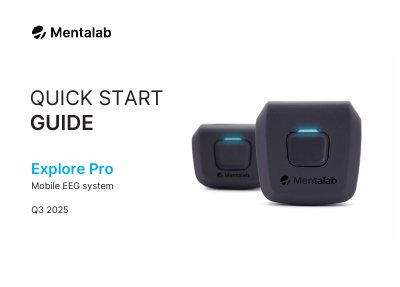
This guide helps you set up and start recording data with the Mentalab Explore Pro amplifier. It includes basic instructions for charging, connecting electrodes, powering on, and using Bluetooth to connect with software. The device supports multiple channel configurations and offers high sampling rates and open-source APIs for research and clinical use.
The system comes with a USB-C cable, electrodes, cap, and cleaning set. It records data internally and can be connected to computers or mobile devices via Bluetooth or USB. Event markers can be set manually or via software, and data can be exported in CSV, BDF, or XDF formats. This manual is written in Chinese.
| Channels | 8 / 16 / 32 |
|---|---|
| Sampling Rate | Up to 8k SPS (8 channels), Up to 4k SPS (16 channels), Up to 2k SPS (32 channels) |
| Battery Life | 8-10 hours |
| Input Impedance | 1 GΩ |
| Resolution | 24 bits |
| RMS Noise | <1 µV |
| Flash Memory | 8 GB |
| Bluetooth Range | ~10 meters |
Briefly press the amplifier’s button to set an event marker. The amplifier will confirm by blinking pink.
Data can be exported as .csv, .bdf, or .xdf files via Explore Desktop. Internal data is stored in .BIN format.