
MagTek iDynamo 5 (Gen II) secure card reader quick installation guide covering setup, iOS compatibility, charging, card swiping, and compliance.
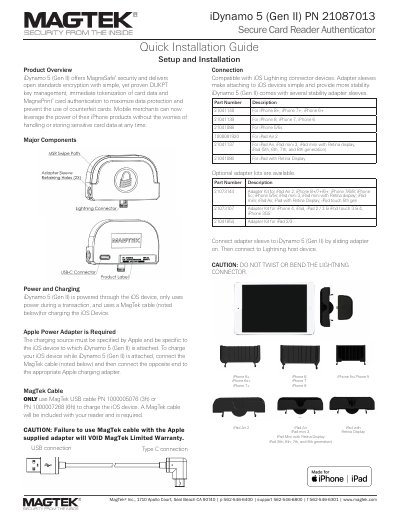
MagTek iDynamo 5 (Gen II) is a portable secure card reader that uses MagneSafe security with open standards encryption, DUKPT key management, immediate tokenization of card data, and MagnePrint card authentication. It is powered through an iOS device and is intended for mobile merchants using compatible iPhone and iPad models.
This quick installation guide covers major components, power and charging, adapter sleeve connection, setup and installation, compatibility, card reading, commands, technical support, and compliance information.
| Power source | Powered through the iOS device |
|---|---|
| Charging cable | MagTek USB cable PN 1000005076 (3ft) or PN 1000007268 (6ft) |
| Host connection | iOS Lightning connector devices |
| Card reading | Bi-directional magnetic stripe reader |
| Security features | MagneSafe security, DUKPT key management, tokenization, and MagnePrint card authentication |
It is powered through the iOS device.
Only a MagTek USB cable, PN 1000005076 (3ft) or PN 1000007268 (6ft), may be used.
The magnetic stripe must be inside the magnetic stripe path with the magstripe facing away from the embossed lock; the reader is bi-directional.
The acquirer or manufacturer configures the encryption keys before deployment.