
Installation and usage guide for the LiteMatrix Patronus Free Standing smart lighting fixtures.
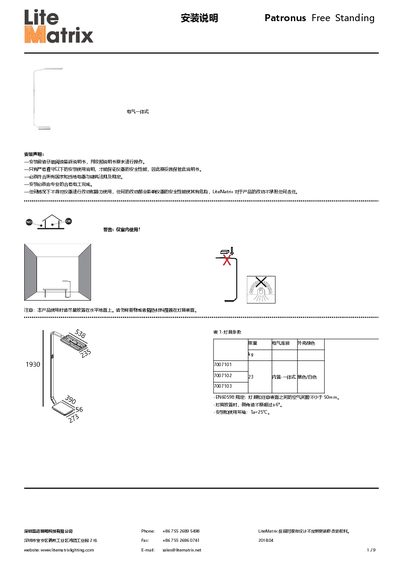
This guide provides step‑by‑step installation instructions for the Patronus Free Standing lighting fixtures, including mechanical assembly, electrical connection, and safety warnings. It also covers the touch‑panel operation, smart sensing mode, and Bluetooth app control.
The document explains how to add, group, and manage lamps and scenes via the mobile app, how to share control permissions with QR codes, and how to reset the fixtures to factory settings. This manual is written in Chinese.
| Weight (model 7007101) | 23 kg |
|---|---|
| Compliance | EN60598 |
| Minimum air gap | ≥ 50 mm |
| Maximum tilt angle | ±6° |
| Operating temperature | 25 °C |
In the “My QR code” section, generate a QR code for the lamp, lamp group, or scene; other devices can scan the code to obtain high or low control permissions.