
LG BH7240B/BH7440P/BH7540T 3D Blu-ray/DVD home cinema system simple manual covering connections, setup, network, Miracast and updates.
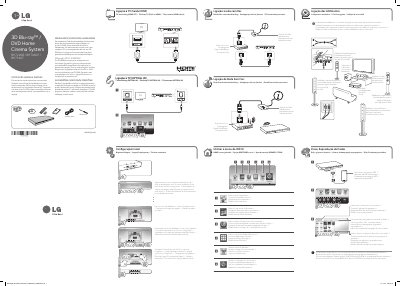
LG BH7240B, BH7440P and BH7540T are 3D Blu-ray/DVD home cinema systems. This simple manual is provided in Portuguese, Dutch, Greek and Slovenian and covers basic operation, connections and setup; a detailed User Manual with advanced functions is supplied on CD-ROM and requires a PC with a CD-ROM drive. Some content in this manual may differ from the unit.
The manual describes TV connections via HDMI and optical input, speaker connection and initial setup, wired and wireless network connection options, web browsing and Miracast use, software updates, and the LG AV Remote app. It also includes customer support information and an open source software notice. This manual is written in Portuguese.
| Minimum recommended network speed for web browsing | 4 Mbps |
|---|---|
| Supported web browsing file formats | .jpeg, .png, .gif, .wmv, .asf, .wma, .mp3, .mp4 |
| Private sound support | Not all models |
| Multi-device pairing | Not available |
Update the player using the latest software; you can also visit http://www.lg.com or contact the LG Electronics customer support center.
Visit http://opensource.lge.com to download the corresponding source code under GPL, LGPL and other open source licenses.
A minimum connection speed of 4 Mbps is recommended.
Turn on the certified Miracast device and run the Miracast function; mirroring may be unstable depending on the wireless network condition.