
Leobodnar BU0836X USB HID Game Controller Quick Setup Guide

Quick setup guide for Leobodnar BU0836X USB HID game controller with wiring, button, encoder, and potentiometer connection instructions.
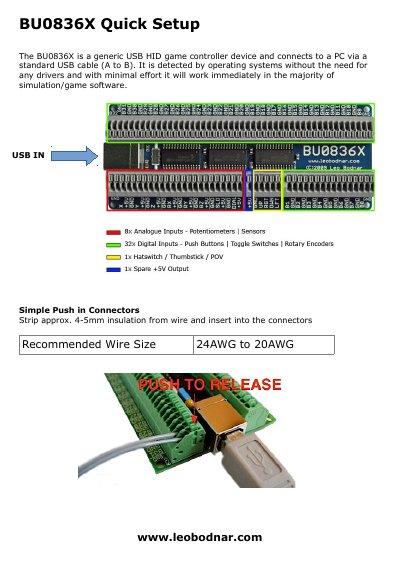

Leobodnar BU0836X USB HID Game Controller Quick Setup Guide - cover page
Brand
Leobodnar
Document type
Quick Start Guide
Language
English
Pages
2
File format
PDF
File size
962 KB
Published
05 November, 2026
Updated
05 November, 2026
MD5 checksum
1E5570EBB46400AA24169D3C982681DF

About this manual

This guide explains how to connect the BU0836X USB HID game controller to a PC using a standard USB cable. It is plug-and-play and requires no drivers for most simulation and game software. Instructions cover wiring for buttons, rotary encoders, and potentiometers, including shared and separate ground wires, and handling unused analog inputs.

What's inside

  • BU0836X Quick Setup
  • Connection Examples
  • Buttons with Separate Ground Wires
  • Buttons with Shared Ground Wires
  • Rotary Encoder
  • Potentiometer
  • Unused Analogue Inputs

Frequently asked questions

What type of device is the BU0836X?

It is a generic USB HID game controller device.

How does the BU0836X connect to a PC?

It connects via a standard USB cable (A to B).

Download PDF (962 KB)