
Lenovo ThinkCentre M82 desktop safety, warranty and setup guide covering package contents, connector locations, first-time setup, and support information.
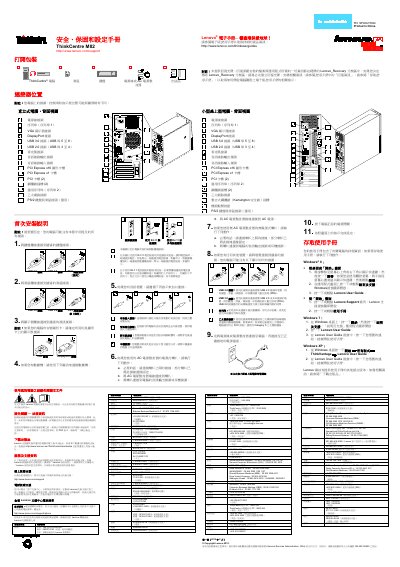
This document is the Safety, Warranty and Setup Guide for the Lenovo ThinkCentre M82 computer. It covers unpacking, rear connector locations for tower and small desktop models, first-time installation steps, accessing the electronic user guide, and service and support information.
The guide lists connectors and slots including USB 2.0, USB 3.0, VGA, DisplayPort, serial, Ethernet, audio, PCI Express, and PCI. It also gives Lenovo support website and telephone contact information and notes that no recovery disc is provided. This manual is written in Chinese.
| USB 3.0 connectors | USB ports 5 to 8 |
|---|---|
| USB 2.0 connectors | USB ports 3 to 4 |
| VGA monitor connector | VGA monitor connector |
| DisplayPort connector | DisplayPort connector |
| PCI Express x16 slot | Graphics card slot |
| PCI Express x1 slot | PCI Express x1 card slot |
| PCI slots | 2 |
| Optional PS/2 keyboard and mouse connectors | Optional |
| Optional serial port 2 | Optional |
The package includes the ThinkCentre computer, mouse, keyboard, power cord or AC adapter, and publications.
Move the cursor to the top-right or bottom-right corner to show the charms, click Search, then click Help and Support and Lenovo User Guide.
Yes; the document says phone numbers may change without notice.
Read this document for important safety and regulatory information and for instructions on accessing the electronic publications.