
Instruction manual for the KILO‑SF three‑phase micro‑processed energy analyzer, covering safety, installation, programming and technical specifications.
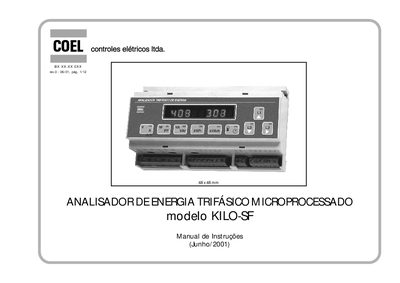
The KILO‑SF Energy Analyzer is a three‑phase micro‑processed instrument for measuring active, reactive and apparent power, as well as voltage, current, frequency and temperature. The manual provides safety guidelines, detailed wiring diagrams for delta and star connections, and step‑by‑step instructions for programming the device.
Key sections include safety precautions, DIN‑rail mounting, power supply requirements, function selection via the front‑panel keypad, display illumination adjustment, and full technical specifications such as input ranges, protection class and dimensions. This manual is written in Portuguese.
| Input Voltage | 500 V (20‑800 Hz) |
|---|---|
| Input Current | 5 A (20‑800 Hz) |
| Power Supply | 200‑240 VAC ±10 % 50/60 Hz (optional 100‑120 VAC) |
| Weight | 600 g |
| Dimensions (H×D) | 90 mm × 58 mm |
| Protection Class | IP20 front, IP40 overall |
A 50 mA HBC type fuse must be installed in the instrument’s power supply.
Press the display illumination key; adjustment is available on instruments with a serial number lower than 38 000.
Remove the plastic hook on the top of the instrument, align the mounting holes with the DIN rail, and secure it with a screwdriver.
Temperature can be displayed in either °C or °F, selectable via the programming keypad.