
This guide covers setup procedures, system configuration, and test signal operations for the JVC MV-1200, MV-1210, and MV-1220 multi-viewers.
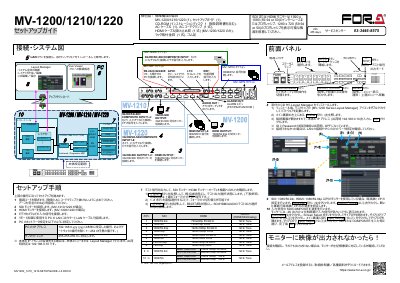
This document serves as a Quick Setup Guide for the JVC MV-1200, MV-1210, and MV-1220 multi-viewers. It details the connection of SDI and HDMI monitors, input signal sources, and remote control via PC. The guide provides step-by-step instructions for power connection, network configuration for the Layout Manager software, and verifying video and audio outputs. This manual is written in Japanese.
| Default IP Address | 192.168.0.10 |
|---|---|
| Subnet Mask | 255.255.255.0 |
| Power Input | AC100-240V 50/60Hz |
The default IP address is 192.168.0.10.
Hold down the TEST button until the indicator flashes amber, then select the format using buttons 1-8.
Monitors supporting 1920 x 1080 (59.94 or 50) interlaced or progressive, or 1280 x 720 (59.94 or 50) progressive video signals.