
JVC LCT2140-001A-A HD Television Quick Setup Guide

This guide helps users set up the JVC LCT2140-001A-A HD Television to receive programming via satellite, terrestrial broadcasting, or cable.
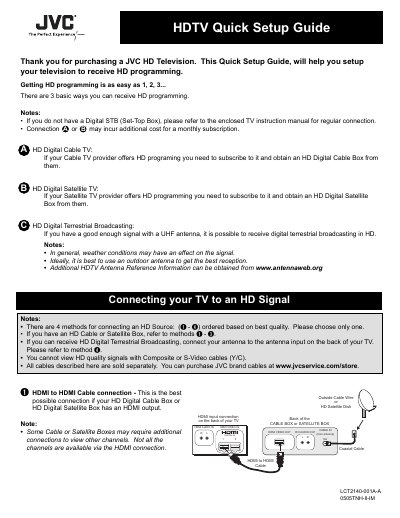

JVC LCT2140-001A-A HD Television Quick Setup Guide - cover page
Brand
JVC
Category
Television
Document type
Quick Start Guide
Language
English
Pages
2
File format
PDF
File size
237 KB
Published
16 October, 2026
Updated
16 October, 2026
MD5 checksum
B2DB0C32480CD4E1D828B619F72E2E95

About this manual

This Quick Setup Guide assists owners of the JVC LCT2140-001A-A HD Television in setting up their device to receive High Definition (HD) programming. It outlines three primary methods for acquiring HD signals: digital satellite TV, digital terrestrial broadcasting, and digital cable TV.

What's inside

  • HD Digital Satellite TV
  • HD Digital Terrestrial Broadcasting
  • HD Digital Cable TV
  • Connecting to an HD Signal
  • HDMI Connection
  • Over-The-Air Antenna
  • Component Cable Connection
  • DVI to HDMI Connection

Frequently asked questions

What is the part number for the replacement lamp?

The replacement lamp unit has the part number TS-CL110U.

Is the television lamp replaceable by the user?

Yes, the lamp is a user replaceable item.

Download PDF (237 KB)

More JVC Manuals


View all JVC manuals →