
This guide explains how to configure network settings, install cloud drivers, bind printers via serial number or LAN search, and manage print jobs using the…
The document provides instructions for setting up a Jolimark cloud printer. It begins by directing users to complete initial network configuration using the included hardware manual before proceeding with software setup.
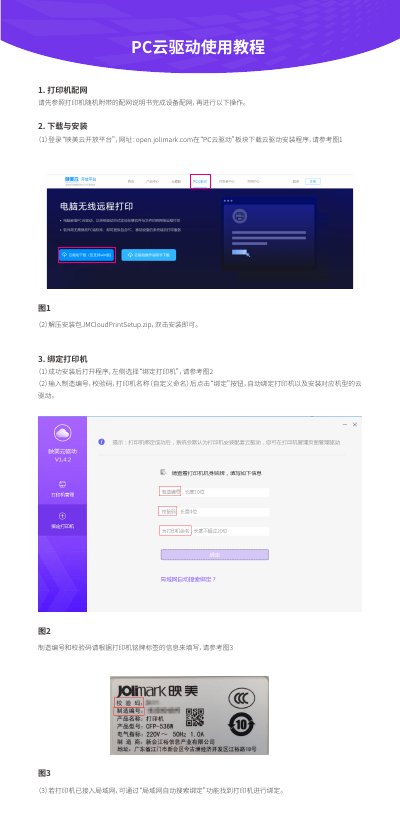
Users are guided on how to download and install the 'PC Cloud Driver' from the Jolimark Open Platform website. The guide details two methods for binding the printer: entering specific identifiers (manufacturing number, verification code) found on the device label or using an automatic search function if connected to a local network. This manual is written in Chinese.
You can use the 'LAN automatic search binding' function in the software to find and bind the printer.
You must log in to the 'Jolimark Cloud Open Platform' at open.jolimark.com and download it from the 'PC Cloud Driver' section.