
User guide for the Inogeni SHARE2 dual video mixer to USB 3.0 converter, covering connections, specifications, serial and LAN commands, and the software suite.
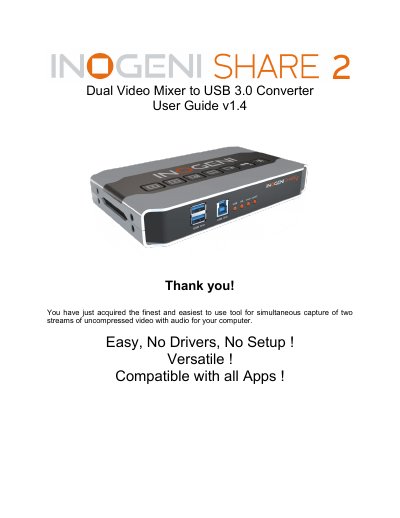
The INOGENI SHARE2 is a dual video mixer and USB 3.0 converter for capturing two streams of uncompressed video with audio to a computer. It has an HDMI input, a DVI-I input that also accepts VGA and component sources, and a CVBS input, plus line-level stereo analog audio input and output. It supports SD and HDTV formats up to 1080p at 60 fps and converts signals to 4:2:2 8-bit color space over USB 3.0. The device requires no driver installation and is compatible with Windows, OSX and Linux. It includes an internal USB 3.0 hub with two USB 3.0 ports, and comes with a USB 3.0 cable and DVI to VGA and DVI to HDMI adapters.
The guide covers the device connectors and connection diagram, specifications, the serial communication protocol and LAN interface, and the INOGENI Software Suite. The Multi-View feature can be controlled by HID, RS-232, keypad, INOGENI REMOTE or LAN, and the serial interface supports 9600, 19200 and 38400 baud rates. The LAN interface uses a default IP address of 192.168.0.80 and provides a SHARE2 Configuration webpage.
| Video Input 1 Connector | 1 x HDMI |
|---|---|
| Video Input 2 Connector | 1 x DVI-I – Digital & Analog |
| CVBS Input Connector | 1 x CVBS |
| Frame Rates | Up to 60 Hz, all formats |
| Color Space | RGB, YCbCr 4:4:4 and 4:2:2 |
| Output Connector | 1 x USB 3.0 to host |
| Audio Input | 2-channel LPCM 48kHz audio from Line input or embedded in HDMI |
| Power | 12V, 500mA (adapter included) |
| Dimensions | 18.5 x 11 x 3 cm |
| Weight | 466 g |
No. The guide states that no drivers are required and no driver installation is necessary.
The default IP address of the device is 192.168.0.80.
Both inputs list 1080p, 720p, 1080i, 480p, 576p, 1920x1200, 1280x1024, 1280x960, 1024x768, 800x600 and 640x480.
The Multi-View feature can be controlled by HID, RS-232, keypad, INOGENI REMOTE or LAN interfaces.