
The Innov-X A2000A portable metal spectrometer operation guide explains startup, calibration, testing, and shutdown procedures.
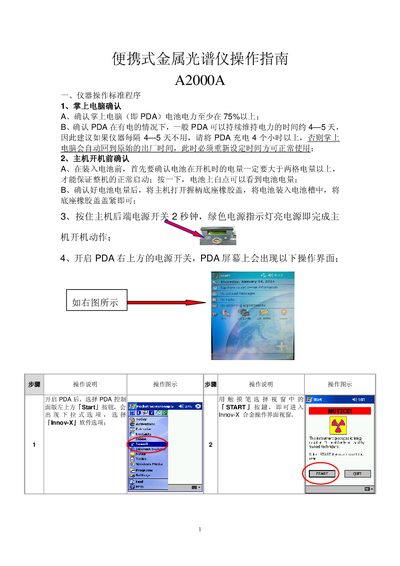
This guide provides step‑by‑step instructions for operating the Innov‑X A2000A portable metal spectrometer. It covers PDA and main‑unit power checks, device initialization, standardization calibration, and normal testing workflow.
Additional sections describe shutdown sequencing, safety precautions, and detailed explanations of each function key on the device. Helpful tips for troubleshooting common issues such as low battery, lock status, and calibration errors are also included. This manual is written in Chinese.
| Required PDA battery level for operation | ≥75% |
|---|---|
| Main unit battery level for startup | ≥2 bars |
| Initialization time | ≈1 minute |
Make sure the PDA battery is at least 75% charged and the main‑unit battery shows more than two bars, then press the rear power switch for 2 seconds until the green power indicator lights.
Insert the standard calibration plate onto the test head, then tap the calibration button; the procedure runs for about one minute and finishes with a confirmation window.
Ensure the standard calibration plate is properly placed on the measurement head; the error occurs when the plate is missing or not correctly installed.