
User manual for the iGuard network fingerprint/IC card access control host: specs, wiring, host setup, enrollment and configuration tool.
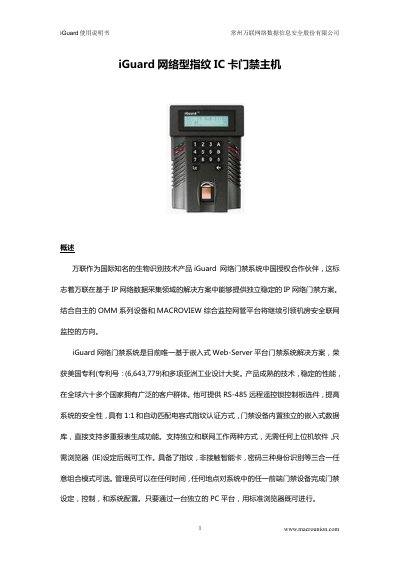
This Chinese-language manual describes the iGuard network fingerprint and IC card access control host, published by Changzhou Macrounion Network Data Information Security Co., Ltd. (www.macrounion.com), which the text names as the authorized China partner for the iGuard access control system. The host contains an embedded web server and database, works standalone or networked, and can combine fingerprint, contactless smart card and password identification in selectable combinations; administrators set, control and configure devices from a standard browser on a PC.
The document gives the main technical specifications (1,000 users, 10,000 records, 12 VDC 1 A power, capacitive fingerprint sensor at 500 dpi, Ethernet 10-Base T with TCP/IP), the wiring terminals, the power-on self-test sequence, administrator password setting, fingerprint and smart card enrollment, the FUNC menu reference, and the iGuard Configuration Tool used to add devices and users and to send door events to the ITU platform. This manual is written in Chinese.
| Maximum users | 1,000 (two fingerprints per employee) |
|---|---|
| Maximum records | 10,000 |
| Non-volatile memory | 8 MB |
| Power supply | 12 VDC, 1 A |
| Display | 16 x 2 LCD with backlight |
| Fingerprint sensor type | Capacitive |
| Fingerprint sensor resolution | 500 dpi |
| Fingerprint sensor area | 1.5 cm x 1.5 cm |
| Authentication time | <= 1 sec |
| Rejection rate | < 0.01% |
| False acceptance rate | < 0.0001% |
| Network protocol / interface | TCP/IP; Ethernet (10-Base T) |
| Dimensions | 105 (W) x 38 (D) x 150 (H) mm |
Press FUNC and enter the administrator password 123, press FUNC, press 1, enter the employee number, press 1 and scan the finger. Each finger must be scanned and confirmed three times before the second finger is enrolled the same way.
The operating steps in the manual enter the menu by pressing FUNC and typing the password 123.
Up to 1,000 users, with two fingerprints per employee, and up to 10,000 records.
The host is powered by 12 VDC, 1 A.