
iFi GO bar portable USB DAC and headphone amp user manual covering LED indicators, iEMatch, volume and gain, digital filters, and specifications.
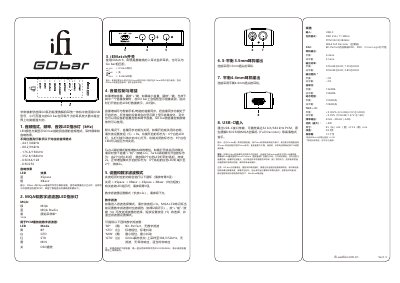
The iFi GO bar is a USB-C portable DAC and headphone amplifier. The manual explains the LED indicators for audio format, sample rate, MQA and digital filters, and describes the iEMatch switch, volume and gain controls, and digital filter selection.
It also covers the 3.5mm single-ended and 4.4mm balanced headphone outputs, the USB-C input, and lists specifications such as supported formats, output power, output impedance, dimensions and weight. This manual is written in Chinese.
| Input | USB-C |
|---|---|
| Supported formats | PCM 352.8/384kHz, MQA Full Decoder |
| DAC | Bit-Perfect DSD and DXD decoding, Cirrus Logic chipset |
| Headphone outputs | Balanced 4.4mm; unbalanced 3.5mm |
| Balanced output power | 475mW@32Ω; 7.2V@600Ω |
| Unbalanced output power | 300mW@32Ω; 3.8V@600Ω |
| Output impedance | Balanced <1Ω; unbalanced <1Ω |
| Signal-to-noise ratio | Balanced 132dBA; unbalanced 108dBA |
| Dynamic range | Balanced 109dB(A); unbalanced 108dB(A) |
| Balanced THD + N | <0.002% (6.5mW/2.0V @ 600Ω) |
| Unbalanced THD + N | <0.09% (100mW/1.27V @ 16Ω) |
| Frequency response | 20Hz - 45kHz (-3dB) |
| Maximum power consumption | <4W |
| Dimensions | 65 x 22 x 13.2 mm |
| Net weight | 28.5 g |
| Warranty | 12 months |
No. It has no built-in battery and draws power from the connected device, such as a phone or computer.
Press the volume + and - buttons together for at least 2 seconds. Turbo mode adds 6 dB of gain.
Long press the setup button for at least 3 seconds, use + or - to change the filter, then short press the setup button to select and exit.
For normal use, set iEMatch to 3.5 for the 3.5mm headphone output and to 4.4 for the 4.4mm balanced output.