
Hypercable supervised and secured DC energy system with a 250 W rectifier and Compack controller, covering safety, networking and setup.
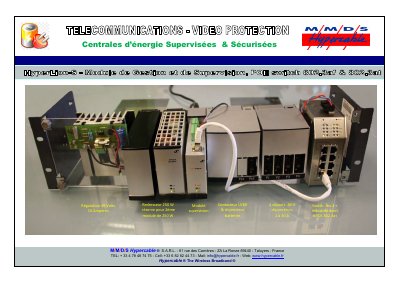
This document presents a Hypercable supervised and secured energy centre built around a 49 volt, 10 ampere regulated supply, a 250 W rectifier with reserve for a second 250 W module, a supervision module, an LVBD contactor and breaker, four 49 V distribution outputs with 2 to 30 A breakers, and a hardened level-2 industrial switch with HPOE 802.3at. The cover gives the Hypercable contact details in Taluyers, France.
The booklet itself describes the Compack controller, which monitors and controls Micropack DC power supply systems and is also used in larger Compack-based systems. It covers the controller's building blocks, external connections and technical specifications, and gives users the information needed to connect the system to a network: LED indicators, mounting and removal, firmware upgrade, Ethernet LAN and stand-alone PC access, configuration through a web browser or the PowerSuite application, monitoring through a network management system with SNMP, CAN bus addressing, a glossary and GUI pages. The text carries an Eltek Valere copyright dated 2009, with the edition completed in December 2011.
| Output regulation | 49 V, 10 A |
|---|---|
| Rectifier power | 250 W |
| Rectifier redundancy | Reserve for a second 250 W module |
| DC distribution | 4 outputs at 49 V, 2 to 30 A breakers |
| Battery protection | LVBD contactor and breaker |
| Network switch | Level-2 hardened industrial switch with HPOE 802.3at |
Only Hypercable personnel or persons who have attended a suitable Hypercable training course may operate it.
A red Alarm LED indicates an alarm situation, described as a major alarm.
By plugging a standard Ethernet cable into the RJ-45 socket on top of the controller and into any available Ethernet socket on the network.
It is configured from the factory with ID number "1" for CAN bus communication.