
Husky Altanium Neo5 Temperature Controller User Manual

This manual provides operating, maintenance, and safety instructions for the Husky Altanium Neo5 temperature controller used in injection molding.
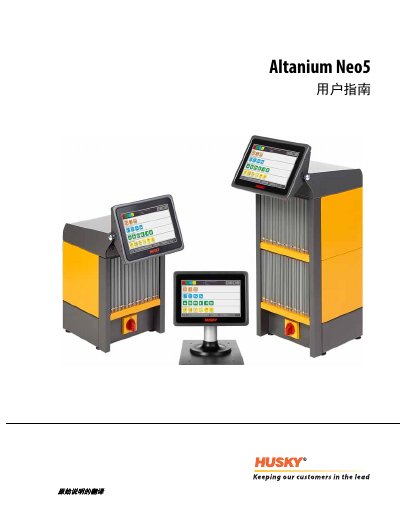

Husky Altanium Neo5 Temperature Controller User Manual - cover page
Brand
Husky
Category
Industrial Robot
Document type
User Manual
Language
Chinese
Pages
178
File format
PDF
File size
3.5 MB
Published
15 October, 2026
Updated
15 October, 2026
MD5 checksum
ABA385F8CC04738CF39291BCDD6E6B01

About this manual

This document is the user guide for the Husky Altanium Neo5 temperature controller. It covers general safety, system setup, and operation of the operator interface for managing hot runner systems. The guide details procedures for connecting the unit to a mold, configuring zones, and monitoring temperature data. This manual is written in Chinese.

What's inside

  • General Safety
  • Temperature Control
  • Connecting to Mold
  • Operator Interface
  • Mold Settings
  • Mold Diagnostics
  • Heating Mold
  • System Setup
  • Maintenance

Specifications

Operator Interface Dimensions (Width)278 mm (11 in)

Frequently asked questions

What is the recommended waiting time after turning off the system before opening the main power?

You must wait 30 seconds after the system is turned off before opening the main power to avoid communication issues.

Who is responsible for the safety of the system when connecting the temperature controller to the injection molding machine?

The safety of the system is the responsibility of the integrator when connecting the temperature controller to the injection molding machine.

What is the maximum voltage exposure risk indicated on the panels after disassembly?

The symbol indicates a potential danger of exposure to 40 VAC voltage on all panels after disassembly.

Download PDF (3.5 MB)

More Husky Manuals


View all Husky manuals →